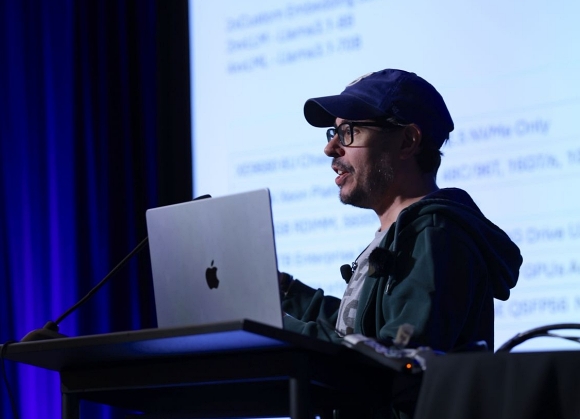
Will McGugan, the maker of Textual and Rich frameworks, speaks about the reasoning of developing the two two libraries and the lesson learned. Also, he shares light on Toad, his current project, which he envisions being a more visually appealing way of interacting with agentic LLMs through command line.
Key Takeaways
- Textual User Interfaces (TUIs) are structured, full-screen displays for CLI applications that allow users to interact with programs through rich, navigable elements, unlike simple line-by-line commands. They look more like retro websites than plain terminal applications.
- Through emulators, complex applications built with Textual can be rendered in different environments, from terminals to web browsers.
- Building a GUI framework for the CLI, like Textual, is much more complicated than one might think, because you have just text and need to create everything from scratch.
- Even with significant innovation in areas like AI, the standard CLI client experience is quite rudimentary compared to the rich interactions that Textualise enables.
- The usage of agentic client protocol (ACP) allows the integration of any LLM agent, regardless if it's on premises or in the cloud.
Subscribe on:
Transcript
Olimpiu Pop: Hello, everybody. I'm Olimpiu Pop, an InfoQ editor. And I have in front of me, Will McGugan, if I pronounce it correctly.
Will McGugan: Not quite. It's McGugan. It's like double O.
Olimpiu Pop: Oh, okay.
Will McGugan: But that was pretty close.
Olimpiu Pop: Let's give it another try. Will McGugan, right? Thank you for the first lesson of this recording, Will. And because it's just audio, Will has a very nice background with the Scottish colour behind him. And without further ado, I'll invite Will to introduce himself and tell us a bit about his upbringing and what brought him to computer science and coding.
Will McGugan: How did I get into computer science? Well, it goes all the way back to the '80s when I convinced my parents to purchase a ZX Spectrum 48K+, which was a large purchase in those days. It was a computer you could play games on, but you could also tinker with it. You could write BASIC and create little, very, very simple games, simple animations and things.
And once I discovered this, I was hooked. It was something that I liked to do. That's what got me into computer science, just playing around in my bedroom, making silly games and demos, which I'm doing now.
Olimpiu Pop: Yes, yes. That's why I insisted on it: it seems stuck. Whoever tells kids they don't use PCs except for gaming should let them do that, because games are pretty complex stuff, and if they start writing that as well, it's essential.
The interaction with CLI tools can be more user friendly than the classical one [02:12]
But somewhere down the line, you stopped playing games. You started tinkering with some other stuff, still visually appealing, but a whole different thing, and that's TUI, or textual user interfaces, or to be honest, there are two other tools that you put together, and both of them were in the same space. So the interaction with the terminal was one of them: TUI, and the other was a CLI framework, if I get this correctly. Let's touch on that.
Will McGugan: Yes, the distinction is a bit fuzzy. But yes, so the first thing I built in this arena was Rich. And Rich is a library which writes nicely formatted content to the terminal. So it can be as simple as nicely wrapped text, but the text can have formatting, can have styles, bold, italic, can have colours, et cetera, and more advanced formatting like tables, panels, and widgets like scroll bars, status spinners, all sorts of things designed to make your terminal experience more pleasant. And people use that in CLIs, so a command-line interface where you type something at the prompt and get the output in your terminal. And that became quite popular.
Rich could do some kind of animation, like progress bars. There's also a live update feature that lets you refresh parts of the screen, which you could use for things like dashboards. You could see CP usage or messages coming in from a WebSocket or something. So it allowed developers to gain visibility into their data and build these apps relatively quickly.
But as that became popular, people were asking for more interactive features. They wanted to click buttons, try to drag sliders, and see content that could scroll up and down, and you could navigate it with the cursor keys. And Textual didn't do that. It was never really intended to be that dynamic. Its purpose was just to create nicely formatted output, but people kept asking, and I saw people building these things using Rich, plus other libraries, to gather input and build interfaces. And I was starting to see how good it could be with these people experimenting and creating cool things. I realised that the terminal could do much more.
And I started building Textual, and it is a library designed to be more dynamic. It uses Rich as the renderer. So Rich handles creating the colours, style, and basic formatting. Textual takes input, handles key presses and mouse movement, and manages layout and other features, but it builds on top of Rich to create fully dynamic interfaces that run inside your terminal. And those are typically called TUIs, text user interface.
People recognise that term, TUI. I've started moving away from it because I don't actually like it that much. It doesn't describe what Textual is. Technically, it is built from text. There's recognisable text, there's letters, numbers and digits, et cetera, but there's also borders and colours, and there's fading effects, and there's scroll bars. And these are built from text characters, even though they don't actually resemble text.
So I think it's more accurate to call it a GUI, a graphical user interface. It's not great for doing highly detailed images, but in a sense, it is graphical because if you put Textual TUI next to a graphical interface, you would see they look quite similar. They've got very similar components, buttons, scroll bars, text input, text area. So I think it's more accurate to refer to them as GUIs. They have a retro look and feel, but I think GUI is more accurate. But I won't correct you if anyone says TUI because that's what I'm known for and I can't by myself change nomenclature, you know?
Olimpiu Pop: I will go with GUI because, for me, TUI makes me think of holidays and a tour operator from Germany.
Will McGugan: That's right. Yes, yes.
Olimpiu Pop: Then it's better to just remain in this space and think about geeky stuff.
Well, that seems like quite an enjoyable endeavour where you need to do a bunch of stuff, and that probably was complicated and quite complex to build. So, to just summarise, you started by saying that you can do more in terms of text in the CLI, so in the terminal, and that brought Rich to be implemented. And after that, seeing what people, well, geeks being geeks and putting together different libraries together with Rich, what they managed to put together, you started building Textual, which actually uses Rich as the base for it, but it puts together all the other stuff. So actually, Textual is more or less another framework for building GUIs, but with the dimension that it's considered to do that retro feeling in the terminal and all the stuff that you'll normally see in browsers.
So Textual, is it limited only to the terminal or can it be used in other perspectives? I don't know, what should happen if we just go and try to put something in the browser?
Textual based applications can be emulated in different environments, from terminals to web browsers [08:02]
Will McGugan: So Textual builds up an image essentially made from text, but the output doesn't necessarily have to be rendered by a terminal emulator. We have a feature called Textural Serve. Basically, it creates a web application that displays your terminal app inside the browser. The browser is essentially emulating a terminal, but you do get the same output. So if you've written a Textual application, you can play with it and use it in your terminal emulator of choice, but you can also, with a single command line, serve it as a web application. And once it's a web application, of course, you can have anyone use it inside a browser.
So you don't have to be terribly technical to use it. It's not like terminals are complex to use to run an app, but if you're not a technical person or you're not a software developer, you might not be familiar with terminals. So that's why I felt that the browser would give as many people as possible access to Textual apps.
Olimpiu Pop: So Textual is actually doing the rendering into a given format, and it takes characters and just builds an image, this retro feeling. But you can have emulators and there are terminal emulators and obviously there are multiple ways, multiple tools in that space. And then it's another way of doing it and that makes it through a web server and makes it available in the browser.
So if somebody would be crazy enough to put it, I don't know, in another space where they want to do it, actually they would need to put an emulator in place. They have to implement an emulator and then they should use the Textual for just with the drawing site. Would that summarize?
Will McGugan: Yes. For now, the easiest way to get your Textual app running somewhere else is to emulate a terminal. It's not quite the same thing as running a shell. If you have a Textual app inside the browser, it's not like it's just giving you a remote shell. There's a little bit more going on there. There's a different protocol.
It can do things like serving files. So if you have a file on your remote machine, you can download it via the browser. So it's not quite emulating a terminal, it's just using the same output that a terminal can consume. So as long as you have something which can render terminal output, which contains these kind of ANSI sequences, which impact the colour and style, et cetera, then you can display a Textual app.
I've seen people do very strange things. Someone plugged in a Textual app to one of these old-school teleprinters, basically what the term TTY comes from, teletypewriter, and they could generate a Textual app essentially on paper, which was hilarious to me that it actually worked because the protocol was designed decades ago, but it still works.
Olimpiu Pop: Oh, nice. Well, now that they don't build them as they used to. So to have a fair share of nostalgia about pastime, especially since the retro things are coming back in the scene.
What do you need to build to "click" a button in a terminal [11:08]
Okay. What will be a couple of lessons learned from your period of building Textual? Because when you talk about that degree of finesse of attention of creating a lot of stuff, you're talking about pixel-perfect. It is not pixel-perfect, but I expect people to be very keen on seeing proper rendering and finesse. What would be a couple of things that you learned from this adventure endeavour?
Will McGugan: Well, it turned out to be much more complicated than I imagined. In retrospect, it should have been obvious. The thing about writing for the terminal, especially if you're writing an application render, you get nothing for free. So if you are writing a web application, you've got such a lot from ground level. You've got buttons and text inputs, et cetera. In the terminal, you don't have anything. The only primitives you really have are printing text and getting input. It was a lot harder, but that was a good thing that I didn't know how hard it was going to be before I attempted it because if I knew that from the start, I might never have done it.
But other than that, it's important to be creative. I find that I tend to like working on things that limit what you can do, and that actually helps you to be creative. The thing about building things for the browser is the browser can do almost anything. It's incredibly powerful, incredibly fast, and it's got a huge amount of scope. And it makes it hard to be creative for me because there's no guardrails. You can do absolutely anything. But in the terminal, because it is so limited because you only have a certain number of tools at your disposal, it increases the amount of creativity because you have to be creative in order to do interesting things. Even basic things, like render a button, how do you render something which looks like a button when all you've got is text? You haven't got shadows, you haven't got drop shadows, you haven't got rounded corners.
So it forces you to be creative, and I think that's a great way to, if you want to be more creative, is to set limitations for yourself that will increase your creativity.
Olimpiu Pop: That is one thing that is just spinning in my head. So you mentioned a couple of things. You mentioned mouse, which back in the day was not on the same page or in the same landscape with the terminal. And then you mentioned buttons. So what's the dynamic of, okay, you're moving the mouse and they want to press a button and then what happens? You're just narrowing down and you see what's the position and then actually you're trying to fire an event, or maybe just walk us briefly through it.
Will McGugan: Yes. So obviously at the terminal emulator, its routes go back to the teletypewriter, a thing which actually printed on paper. Of course, there was no concept of a mouse there because it just couldn't exist. You can't point at the paper and have the computer know where you're pointing. But they added protocol to terminals that sends the terminal sequence, "Please enable mouse reporting". And when that's enabled, it sends the mouse position encoded into standard input. So you can read that standard input, and you can decode the mouse coordinates. It's not the easiest thing to do. You've got to do a bit of parsing, but it's reasonably straightforward.
But clicking a button would be simple, but there's no way in the terminal to ask it what's under the mouse. If you've got a coordinate, you know the click happened at this coordinate. I won't tell you what's underneath what you clicked on because the terminal has no notion of what it's displaying. It's just displaying characters, and you can't even ask it what character is underneath this terminal.
So, in order to make a clickable button, you have to create a data structure in memory, which describes where everything is positioned relative to the top, basically, the coordinates of each widget. A widget is just a rectangle that does something. A button would be a widget.
So when I read the mouse coordinates and the mouse button was clicked, I used this data structure to figure out exactly what was underneath the mouse when it was rendered. And once I've done that, I can send a message to the code that says, "Button pressed", along with the coordinates, and the application can decide how to respond. And the built-in button widget will also do some other things, like when you click it, it'll highlight it, just raise the colour a little bit. And then after, it's 400 milliseconds, the colour goes back to normal just to show that you pressed it. It'll focus the button, it'll highlight it to show that you've navigated there because everything in Textual can work with the mouse or with the keyboard. You press tab to focus a button, or you can push it with a mouse.
So quite a lot happens, but it has to be done in software. The terminal didn't really give you anything. You've got to handle all the widget positioning and detect what's under a given coordinate in the code, and that's where much of the complexity lies in Textual. So you've got to write all that before you can put a single button on the screen. You've got to write a layout engine, you've got to write a parser, you've got to do a whole lot of work before you can turn the terminal into an application platform.
Olimpiu Pop: Okay. But you did the heavy lifting. So that's hidden, that's abstracted away. And how easy, you consider you, is it now to just build an interface using Textual?
Will McGugan: Well, the potential design is to hide all the Go-to-Implementation details. If you're building an app, you don't want to care about these things, you just want to know was my button pressed? So the code is fairly straightforward. Each widget has a message pump, which corresponds to a class. If you want to handle a button, you write a handler called On Button Pressed, and this gets called with a button-pressed event when the user presses that button and then you can fill in the code to respond to that button-clicking.
And the rest of it is like that. It boils it down to very simple message handlers, which happen in response to an outside event from the user. You fill in the code, and for the most part, you don't need to worry about any of the implementation details.
Building a beautiful universal AI interface [17:51]
Olimpiu Pop: But unfortunately, that's a past endeavour, if I understand correctly. You decided to leave Textualize behind some time ago, and now you are using all the experience that you gathered to build something new. Talking about retro looks, people probably think that you're moving away from this AI thing, but actually, you have an ace up your sleeve, and you're currently building Toad. Can you just provide us with more perspective on what Toad is?
Will McGugan: So Toad, the name comes from textual code, which I squished together and turned into Toad, and what it is an interface for AI. So I'm sure a lot of people have used Claude CLI and Gemini CLI and a whole bunch of other applications that run in the terminal and allow you to do agentic coding, so you give it a prompt and it generates code for you. I think it's here to stay. I think we're going to be using it more in the future, but the terminal apps that we've been given, they're not great. In fact, they're pretty poor, even basic stuff, like it can't update without flickering very unpleasantly. You can't interact with the output other than to type a prompt. You can't go back and highlight text and copy it because it will copy all these box drawing characters and hard line breaks and things. So all you've got is a prompt and some output, which is not very pleasant to look at.
And I was looking at these kind of applications and because of me working in the terminal arena for such a long time, I knew that it could do so much better. Now, these are big, big-tech companies with a lot of developers, a lot of smart people working from them, and they couldn't build good terminal apps that were user-friendly and visually appealing. And it was because they were using TypeScript and that TypeScript doesn't have a very well-developed ... any TUI libraries. They were using something which was more akin to Rich, which can generate a nice output, but it's not dynamic at all.
So I figured, "Well, I can do better". I'm not claiming to be smarter than any of these guys in big tech. It's just that I've had a head start, I've built Textual, and I have quite a lot of knowledge about terminals over the last four or five years of working.
So I started building this interface to talk to an agentic AI that was more pleasant, more user-friendly to use. I was planning to build a protocol which would allow me to plug in a front end to something like Gemini, something like Claude because I don't really want to get into the business of building an AI agent. But fortunately, after I started building on it, Zed Industries, the people behind the Z, came up with the protocol, which does exactly what I needed. It's called Agent Client Protocol, and basically, it allows a front end to plug into any AI agent.
So I used that and I built that layer, implemented that protocol, and that allows me to put my front end in Textual and Toad and plug it into any of these backends. So I have the ability to work with ... I think it's about eight different agents and there's more of them coming online all the time. They all work in the same way, they all have different capabilities, but they talk to the front end in the same way. So now Toad can talk to all these different agents and give you nicely formatted text and a beautiful streaming markdown. It's got a really nice diff view that looks as good as any kind of web view and it's just a really nice experience.
And I'm very close to a release sometime in December, or at least the first public version. It won't be a 1.0, but it'll be quite usable, and I'm quite excited for people to start playing with that.
Olimpiu Pop: Well, congratulations, and best of luck putting it under the tree, because we are still in the Western hemisphere.
But a couple of questions. What you're trying to put together is to create a terminal interface. And for me, it's quite funny because this, all LLM insanity, started with the browsers. And for me, it didn't make sense. You're doing something in the browser and then you just have to copy-paste and that usually doesn't work as expected, especially when you're working with a bunch of stuff.
What I saw as a very good interaction was with Gemini because they have all these places where you usually type and you write. So they have the Gmail, they have the Drive ecosystem, and then it made sense because it incorporated everything there where it's needed. What I didn't get is consistency and the ability or their limitation in terms of what to do, but that's a whole different story.
And now we are discussing that people are moving towards the terminal. And actually, I am that kind of person because I have a bunch of discussions with my colleagues as well that why don't they use the terminal? Because you have the whole toolbox rather than just having a handful of tools that usually the UIs are providing.
What you're focusing on is what you're very good at and that's making simple ... Well, simple into the terms of how they behave and the interaction with it because as you previously mentioned, it's quite complicated to get it to feel that simple for the user, but you keep aside the details of interacting with agents. You wanted to do the protocol, but actually, Z brought it up front in the ... probably is ACP because everything is with CP nowadays, with MCP, ACP now with Agent Context Protocol, but you still are able to interact with any model out there, right?
So you're not, I don't know, some kind of Ollama, which allows you to connect to a hugging face and pull models from there. You just create an interface. The interface is currently to online models, like I don't know, Gemini, Claude you mentioned before, or I can use it also with local models.
Connecting to any LLM model through the Agent Client Protocol [24:21]
Will McGugan: Yes, you can do both. The Agent Client Protocol is agnostic to where the LLM is actually running. I think the initial agents are coming out, they will just talk to an LLM remotely, but it's entirely possible to configure it to talk to an LLM which is running locally. It's the same protocol from Toad's point of view. It doesn't really matter where the data's coming from.
And I reckon that local LLMs are going to start to take over. They're quite difficult to run at the moment because they require quite a lot of CPU and disk space, but computers are getting more powerful all the time and more of us will have computers which are quite capable of running LLMs, especially when they've got chip sets designed for AI. So I reckon that local LLMs are going to become much bigger in the near future, especially since we've got Chinese companies, which are producing very good LLMs that can run locally. But from Todd's point of view, it's completely agnostic to where the agent is actually getting us data from.
Olimpiu Pop: Maybe you can walk us through how should I use Todd? I want to start using it, and after all the logistical aspects, downloading it and so on and so forth. I want to use it with Claude, for instance, or with Gemini. How do I set it up? Because definitely I'll need the key to interact with the API, and just walk us through it.
Will McGugan: So if you run Claude via Toad, it shares the login details from the Claude app running on the command line by itself. So if you've got that running, you can then use Claude with Toad without having to log in. Other than that, if you want to start from scratch, you don't have Claude on your system, you would run Toad initially, the list of possible agents. You can select an agent and read some more about it. If you like it, you click install and then it'll install it. It'll run any code to log in. So it might pop up the browser and require you to log in and then the browser would disappear and then you can then jump straight into Claude via Toad.
So it's almost like an AI app store. It shows you all the possible agents. You click, install, run. If it's already installed, then it's just one click or button press to jump straight into a conversation view. And from there, it can update your code and do anything that the Claude app could do if it was running by itself.
I want it to be effortless. If you asked a developer to copy an API key into adjacent file and copy a file somewhere, they can handle it, but I don't want to have to ask people to do that. I want everything to be done from a nice front end and it's just completely fast and trouble-free.
Olimpiu Pop: So to just summarize, Toad is targeting developers that want to have more from the CLI when interacting with large language models or with agents, regardless of where they actually reside, if they are locally or in a private network or online.
What's still for you to do? As you said, you're targeting to have the first release in December. What's next afterwards? Are you waiting for feedback or you still have a couple of boxes to tick?
Will McGugan: There's still some things left to implement and bugs of squash. The feature I'm working on at the moment is proving to be quite challenging. Toad can run applications inside Toad. So let's say you want to run htop, the command line tool which shows what your CPU is doing. I'd like the user to be able to just type htop and it would display htop within Toad and other features as well. So any other command, I mean, the editor, if you wanted to write a commit message and you want to use Vim or Nano, et cetera, I want that to run inside Toad.
So in order to get that working, I need to launch a subprocess, which is easy enough, but I need to interpret the information that comes back from that subprocess and emulate a terminal. So I'm emulating a terminal inside a terminal app and that requires me to properly understand, parse, and execute all these escape sequences embedded.
These have come together over many decades by different manufacturers and they have lots of little edge cases and they have lots of little idiosyncrasies, so it's proved to be quite challenging. I've got good results, actually. It's finally starting to come together. You can run most TUIs inside Toad.
So that feature is probably a few days away from being merged. Once that's merged, then I think all the features line up and it's almost ready for release. There's a few small things which are missing, like there's a tree view which displays all your files in your project directory. That doesn't update when you add new files or delete files. So that I need to implement. And there's lots of other things to clean up and to streamline and test and documentation, all the usual stuff. And the work is always ongoing for building software projects. You can rarely say you've finished, but this will be quite a good initial release.
It's going to be open source. At the moment, it's in a private repository. But once all the features line up and people can use it without anything breaking, et cetera, then I'll release it and I think I'm on target for December, fingers crossed.
Running everything in one process [30:15]
Olimpiu Pop: Okay, great. What's the reasoning behind it of trying to run everything? You mentioned that you would like to be able to run other tools inside Toad. What are your concerns? Why would you like to do that? Why not, I don't know, launch another process externally and then just take the output?
Will McGugan: You could have two terminals side by side, but I think it's a much more pleasant experience if you just have one terminal. And the interface to Toad is a little unusual in that it feels very much like a shell in itself, as well as a LLM type of conversation view. It also has some similarities with a Jupyter Notebook where you've got a stream of widgets and you can go back and interact with them.
So I want it to be a single place where everything just works. If you're working on a TUI, for instance, I want them to be able to run that TUI inside Toad. Or if you just happen to write a shell command and it launches a TUI, I want that TUI to work as it normally would inside a shell. Or if you ask the LLM to run something, I want that thing to run.
The other agentic coding tools, if you run an interactive TUI, it would just not exit. It would just show you nothing. It's waiting for data, et cetera. That is a awful user experience. I just want things to run. If you type it in the prompt and it would run normally in a terminal, then I would expect it to run in Toad. No compromises.
I don't think these agentic coding tools get a pass. If they can't run something because they're running in a subprocess and they can't display the output, that's not good enough. We can do better as developers and I want the Toad experience to be completely friendly and no surprises.
Olimpiu Pop: Okay. Well, best of luck with tinkering.
Will McGugan: Thank you.
Olimpiu Pop: Is there anything else that I should have asked you, but I failed to ask?
Will McGugan: Oh, I guess I'd like people to know how they can try Toad. I have a Discord server which I created when Textualize was a startup. We don't have a company behind it. It's just myself, but it's a very good place to discuss Rich and Textual and Toad. If you're interested in testing it out when it's released in December, join that Discord server and go to the Toad channel and DM me your GitHub username. And if you do that, we'll be able to play the Toad when it's ready.
Olimpiu Pop: Okay, great. Thank you, Will. Thank you for your time.
Will McGugan: Thank you. It's a pleasure.
Mentioned: